Wholesale IMS
An inventory and sales system that replaces a wholesale store's handwritten logbook.
- Role
- Full-stack developer
- Type
- Capstone, team project
- Timeline
- Sep 2026 to present
- Status
- In development
The problem
The client is a wholesale and retail store in the Philippines selling cooking oil, vinegar, shrimp paste, salt, flour, sugar and similar goods. Every sale was written by hand in a logbook: date, quantity and item, price, total.
Totals were computed by hand and often wrong. Stock wasn't tracked at all, so items went missing and nobody knew where or when. Customer credit (utang) lived in separate handwritten lists, one per customer.
What the owner asked for
- 01Monitor daily sales
- 02Monitor stock and deliveries
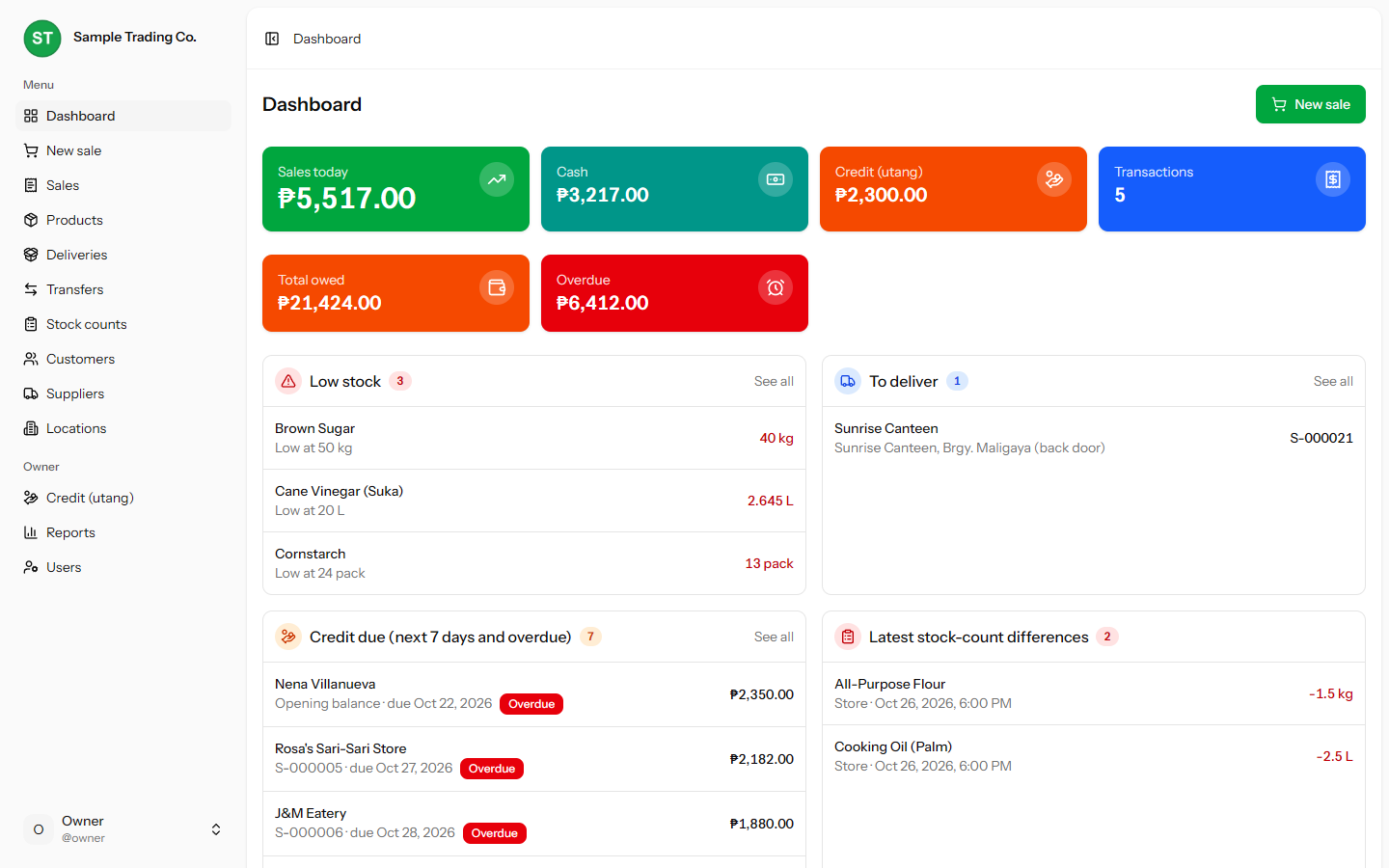
- 03See which customers have utang and how much they owe
- 04See which products are running low
Constraints
- The owner checks the business from a phone while staff sell from a laptop at the counter, so every screen had to work on both.
- Stock sits in one store and two warehouses (bodega) and moves between them.
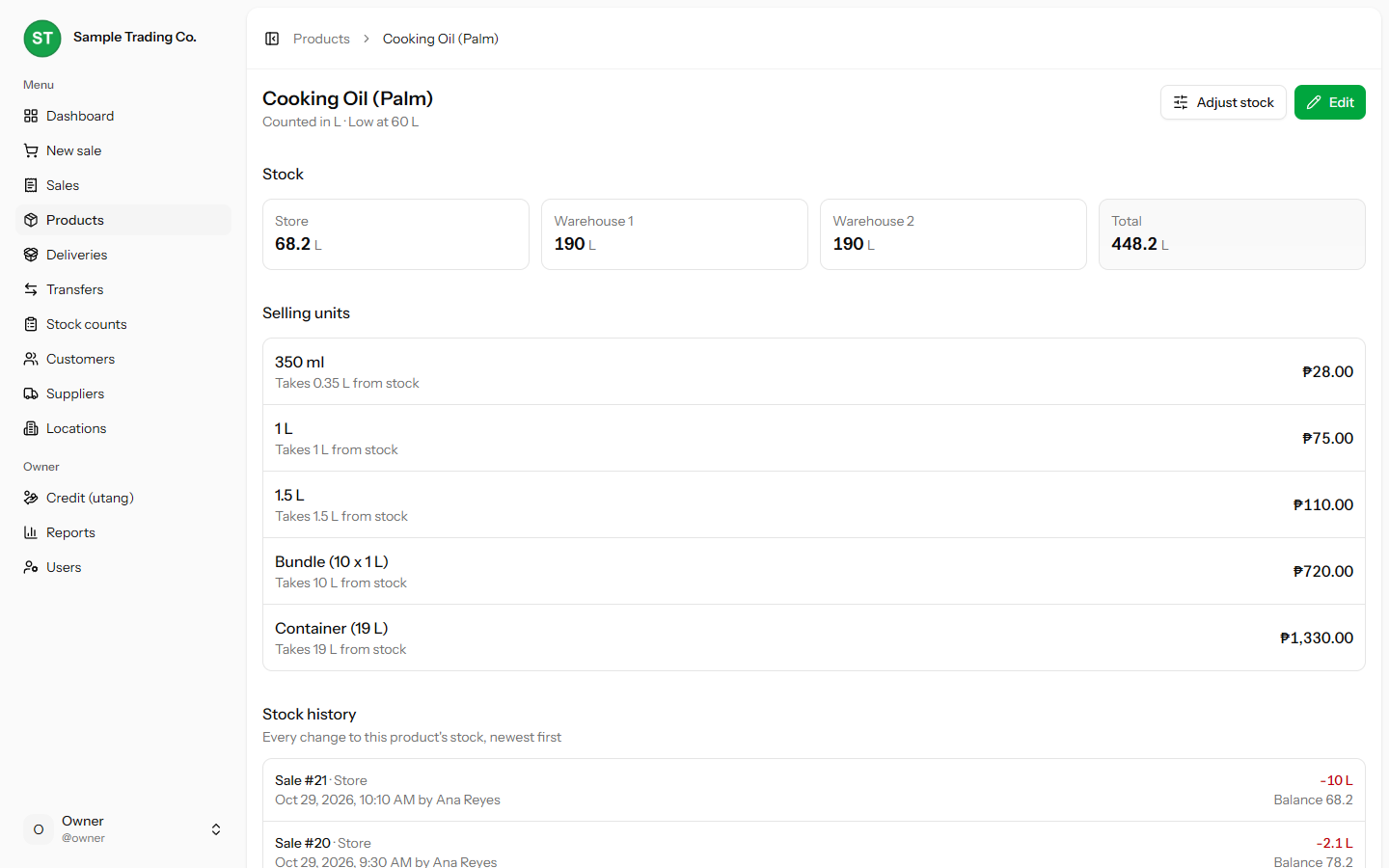
- Cooking oil is kept in bulk in a tank and repacked per order, so the same stock leaves as 350 ml bottles, 1.5 L bottles, bundles or 19 L containers.
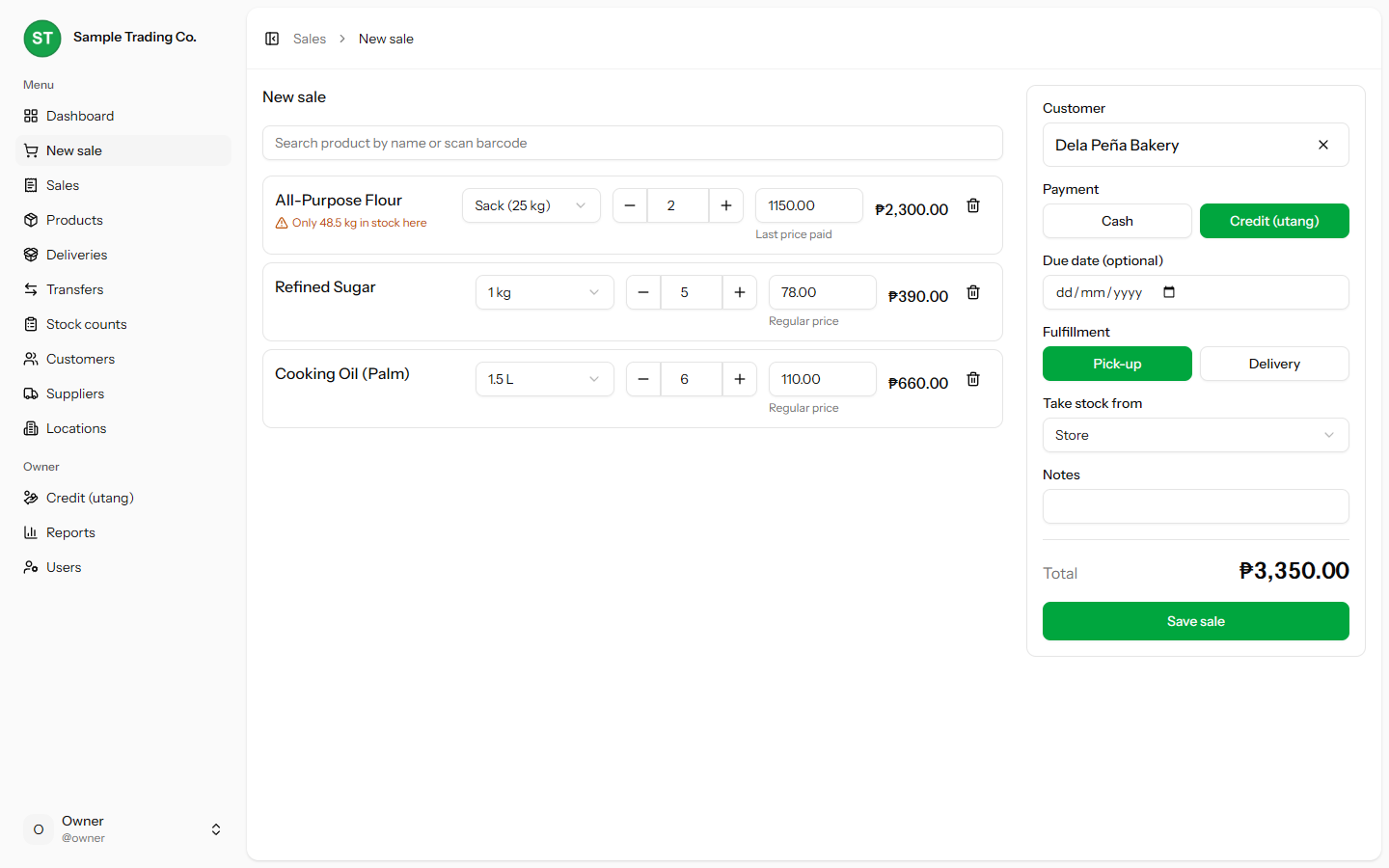
- Not every product has a barcode, so checkout has to be fast by name search alone.
- Two staff and one owner, with different access: only the owner sees credit balances, prices and reports.
Key decisions
- 01
One ledger for every stock change
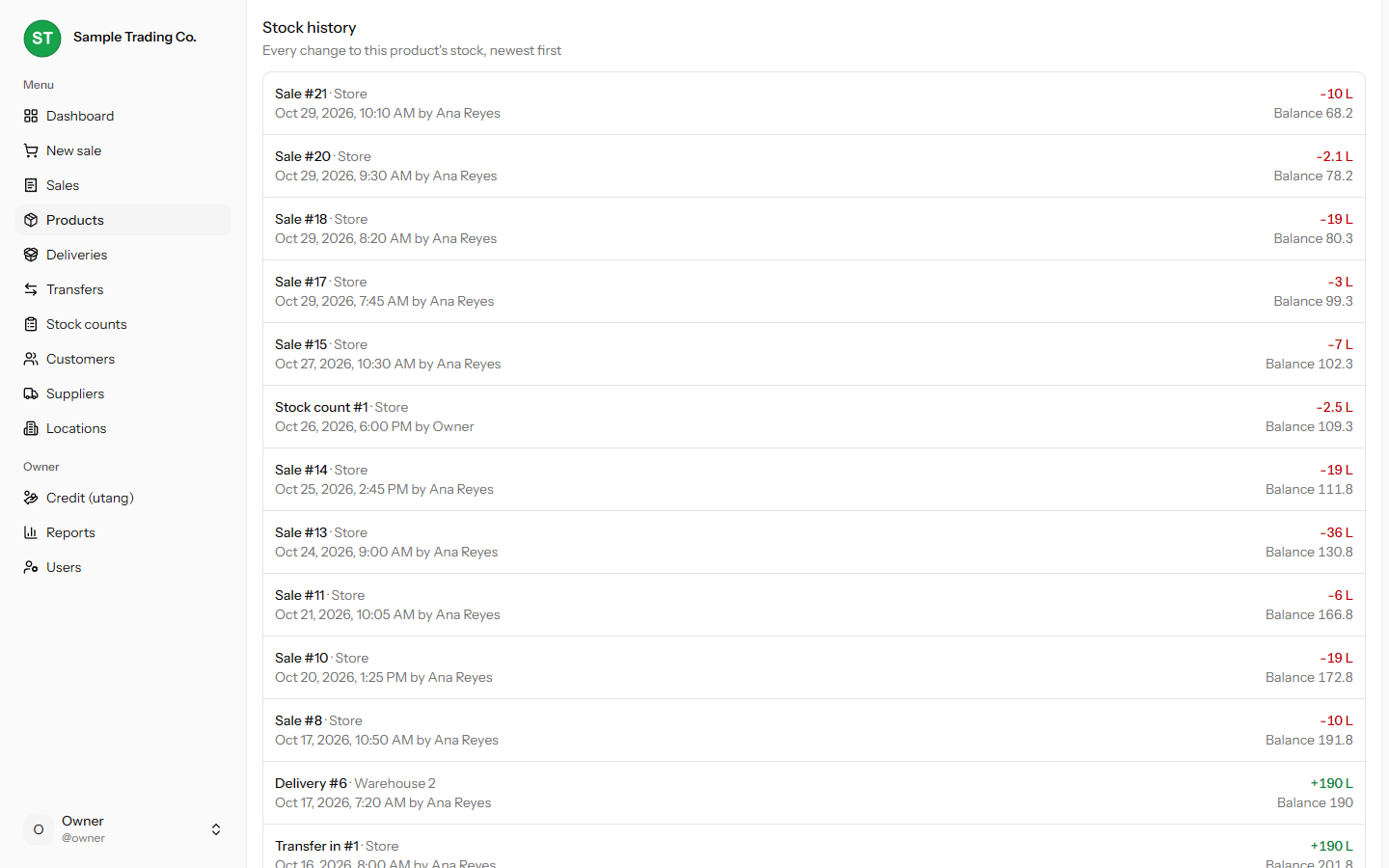
All stock changes go through a single class. Each one updates the stock row and writes a movement with its type, quantity, who did it, when, and the balance after. Current stock can always be explained from history, which is the whole point when the owner's problem is stock that disappears without a trace.
- 02
Stock in base units, sold in any unit
Each product counts stock in one base unit (liters for oil) and has selling units with a conversion. Selling a 350 ml bottle takes 0.35 L off the tank. This matches how the store actually repacks oil, with no separate repack step for staff to forget.
- 03
Prices follow the customer
Regular customers (suki) often get their own price. At checkout, the last price that customer paid fills in automatically, and staff can still edit any line. Every line stores the regular price, the final price and who changed it, so the owner gets a price changes report instead of guessing.
- 04
Never turn a customer away
If the system thinks stock is short, a sale still goes through and the screen warns that stock went below zero. Physical stock is often ahead of the records, and blocking the sale would cost the store a customer. Stock counts later reconcile the difference.
- 05
Exact money, safe writes
Quantities and money use decimals and BCMath, never floats, so ₱ totals and 0.35 L deductions don't drift. Anything that changes stock or money runs in a database transaction, and mistakes are voided, not deleted, so the audit trail stays intact.
How stock moves
What changes stock
Delivery
stock in from a supplier
Sale
stock out, may go below zero
Voided sale
puts the stock back
Transfer
out of one location, into another
Stock count
sets the counted amount, keeps the variance
Adjustment
manual correction by the owner
StockLedger
The only code that changes stock. Runs inside a database transaction and works in the product's base unit.
What it keeps
Current stock
per product, per location: store and two warehouses
Movement history
type, quantity, who, when and the balance after
Screens
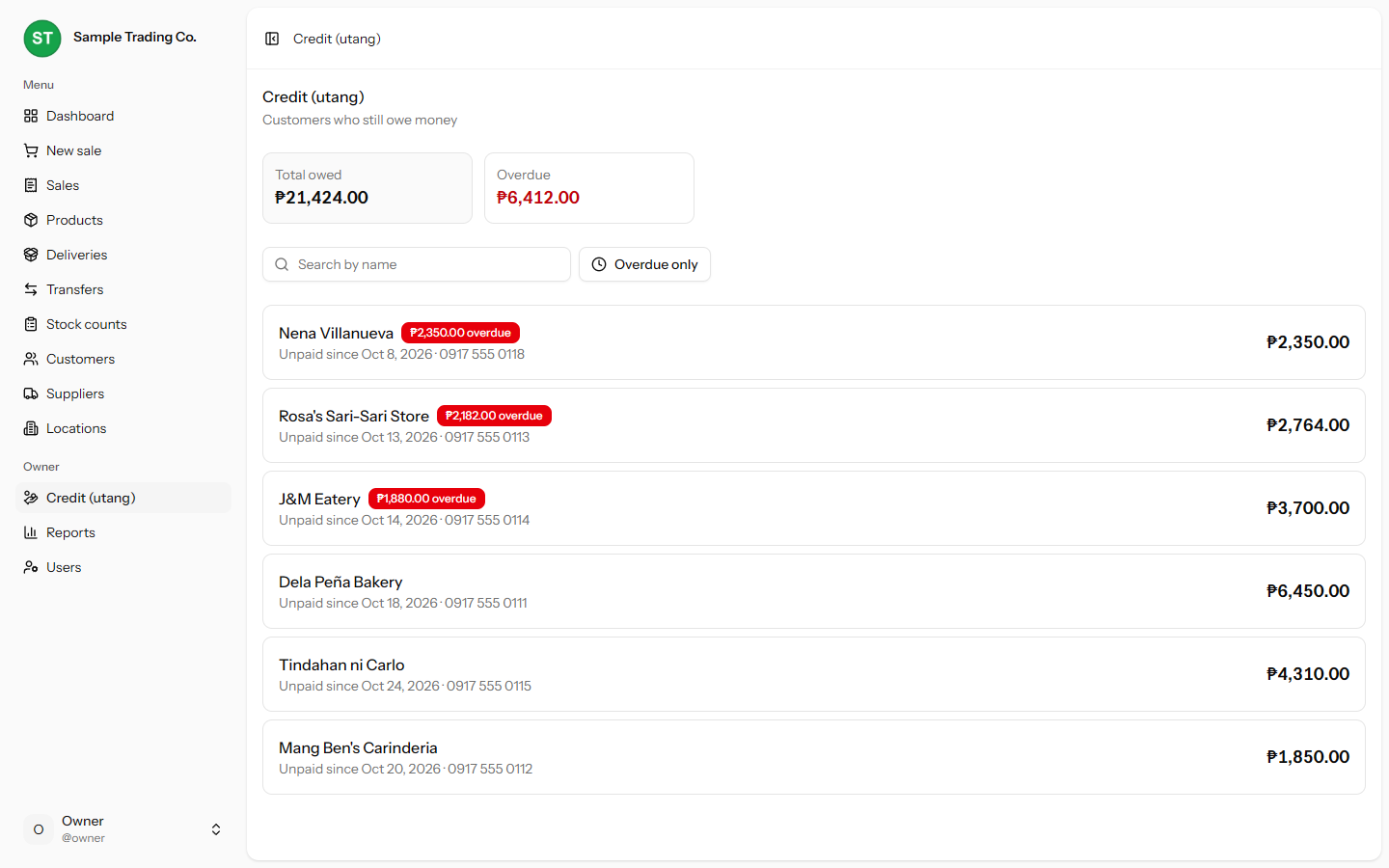
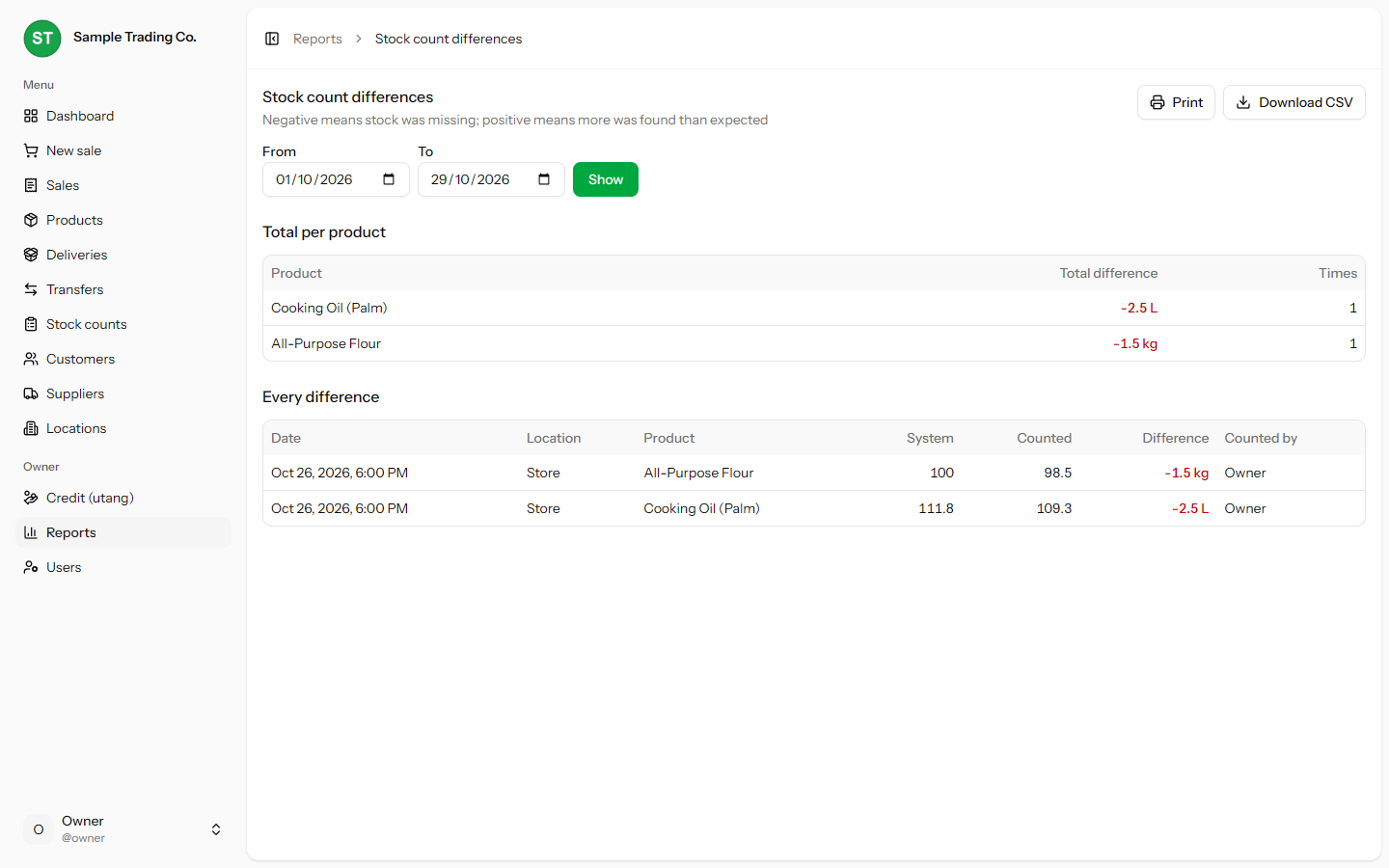
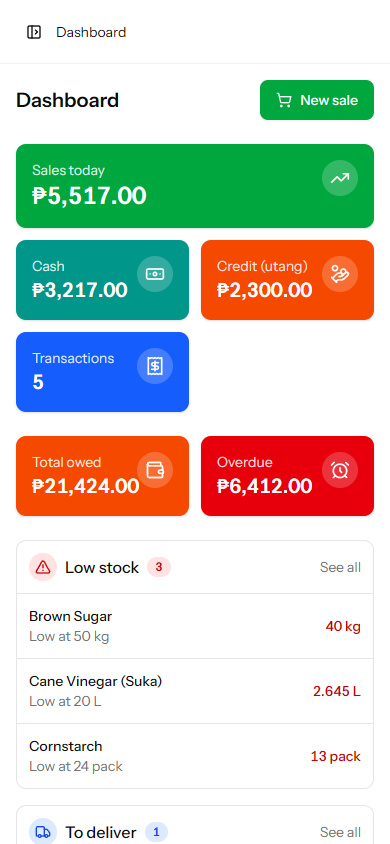
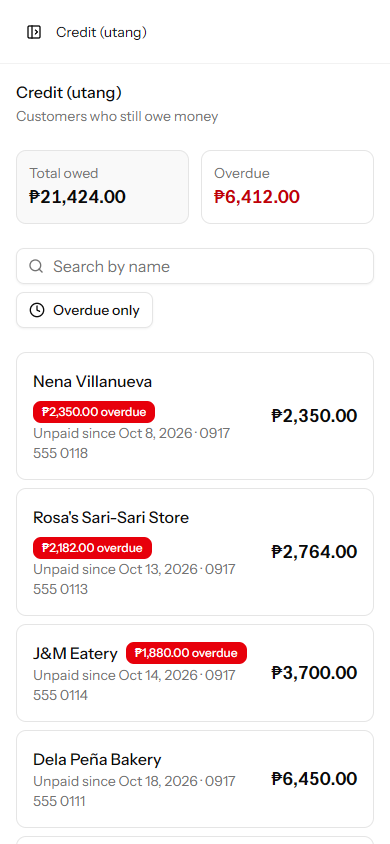
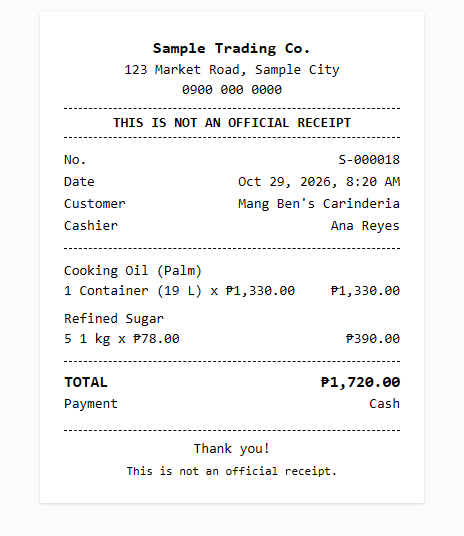
What it does
- Checkout with name search, cash or credit, pick-up or delivery
- Printable receipt, labeled as not an official receipt
- Incoming deliveries per supplier and location
- Transfers between the store and warehouses
- Stock counts with a variance report
- Customer credit: balances, payments, due dates, opening balances
- Dashboard with today's sales, low stock and credit due
- Reports: daily sales, stock per location, price changes, variances
- Owner and staff roles, with no public sign-up
How it was built
Requirements came from interviews with the store owner, written into a project spec before any code. Open questions were settled and recorded there too, like treating the ₱170 “diposit” as an ordinary product instead of building a refund feature nobody asked for.
The build went in five phases: foundation, products and stock, sales, credit, then stock counts and reports. Each phase started with a plan of tables, pages and routes before implementation.
Business rules live in dedicated action classes instead of controllers, and the project has 160 Pest tests covering those rules and the owner/staff restrictions.